
Accepting Privacy-Centric Donations - Monero & Zcash practical guide
If you want to accept support without turning your donors into an open ledger of leads for curious investigators, congratulations, you also want to do bookkeeping, UX, and threat modeling. The simplest path is usually the best: pick a privacy coin, pick a wallet strategy, and publish a donation flow that minimizes metadata surface area.
Below: the one-page playbook and exact operational steps I’d use if I were taking donations publicly but wanted donor privacy.
TL;DR
- Best private-first coin: Monero (XMR). Use the official GUI wallet or a well-audited mobile wallet; verify downloads.
- If you need web-friendly compatibility: Zcash (ZEC) using Unified Addresses (UA) gives shielded-by-default receipts where supported. It’s still less private than XMR, but more compatible.
- UX trick: Publish a single “donate” page that offers an XMR address + ZEC address and one sentence of guidance. Dont’ scatter addresses across the web.
- Visibility without keys: Use a view-only Monero wallet RPC to show incoming totals without exposing spend keys.
Why these two coins?
- Monero is privacy-native: ring signatures, stealth addresses, and RingCT protect senders and recipients on-chain. Good for true privacy-first donations.
- Zcash + Unified Addresses is pragmatic: UAs let wallets accept shielded funds while still interacting with legacy/less mature tooling; good if some donors insist on exchange-friendly rails. UAs were designed to make shielding the default and easier to use.
Exact setup I’d run
1. Pick canonical wallets
- Monero GUI (desktop) or a vetted mobile wallet (like CakeWallet). Download from the official website and verify the signature. Run your own node if you can; otherwise use a trusted light node.
- Zcash endorses several wallets. Zashi is a good one. Make sure you use one that supports Unified Addresses (check wallet docs; UAs are now widely supported). Prefer a wallet that shields by default.
2. Create a receiving wallet
- Generate a fresh Monero and/or Zcash address for donations. Do not use an address you ever spend from without consideration. Linkability is behavioral as much as cryptographic. Use your Monero wallet’s receive page to create an address/QR code for the public.
- If accepting Zcash, geenrate a Unified Address and use that as the canonical ZEC receiver on your donations page. UAs can contain shielded receivers by default and simplify donor UX.
3. Create a view-only monitoring wallet
- For Monero, export the private view key (or create a view-only wallet) so a server or collaborator can monitor incoming domains without spend access. The official docs show how to create a view-only wallet. Use RPC or a lightweight watcher for web totals.
- How to make a view-only wallet (Monero)
- Wallet RPC (Monero)
- View-only wallets (Zcash) (defines a standard for wallet apps to follow - Zashi does not offer read-only wallets)
4. UX & publication
- Single canonical donate page: short copy, one XMR box (QR + text address), one ZEC UA box (QR + text address). Add a sentence: “Prefer XMR for privacy; if you prefer ZEC, use the unified address.”
- Put a single canonical machine-readable OpenAlias/QR on that page rather than posting addresses in ten other places. Reduces accidental linkage.
5. Monitoring & transparency
- If you want to publish donation totals or receipts: use the view-only wallet (Monero) or a monitoring script that queries wallet RPC and publishes totals. Never publish spend keys.
How donors should be instructed
You can copy and paste this. See below for a full markdown snippet.
Prefer Monero (XMR) for highest donor privacy. Scan this QR code or copy the address below into your wallet. If you would rather use Zcash, use the Unified Address option so funds land shielded by default. Don’t forget to verify the address on this page before sending
Operational hard rules
- Never publish spend keys. Ever. Use view-only keys for auditing.
- Don’t convert large donations with a hot wallet. Move funds to cold storage (hardware wallet, wallet with offline signing) before sweeping into exchanges if you want to off-ramp to fiat.
- Labeling & bookkeeping: Keep an off-chain, offline ledger for receipts. If you need public transparency, publish totals (not tx-level donor data).
- Watch compliance: Accepting crypto can create tax/reporting obligations where you are. Consult a tax pro. I’m not your accountant; ask one.
UX: QR, confirmations, and receipts
- Generate QR codes for the addresses and embed them as the canonical images on the donate page (one per coin). Use the wallet’s built in QR or generate a PNG offline.
- Provide a tiny “how to” tooltip: “Scan -> Confirm address matches -> Send -> Wait for confirmation”
- If you want to show incoming donations publicly: publish only aggregated totals pulled from a view-only wallet.
Advanced options
- OpenAlias (Monero): map donate.my-site -> XMR address so donors don’t paste long strings. Monero docs explain OpenAlias.
- Automate monitoring: run
monero-wallet-rpcon a watch-only wallet and expose a small readonly endpoint that returns totals (server-side only). Use Wallet RPC docs for safe options. - Auto-shielding for ZEC: pick wallets that auto-shield UA receipts into shielded pools if that’s desirable. Check wallet docs.
Short legal/risk note
Privacy coins are privacy tech, not a get-out-of-reporting card. Large donations may trigger tax, KYC, or reporting requirements depending on your jurisdiction or payment rails you use to convert funds. If you plan to spend or convert coins into fiat, plan an auditable path and talk to counsel.
Ready-to-paste donate page snippet (Markdown)
## Support PrivacyDork - donate
**Prefer XMR:**

`44f...your_monero_address...`
---
**ZEC (Unified address):**

`uai...your_zec_unified_address...`
*Prefer Monero (XMR) for highest donor privacy. Scan a QR code or copy the address below into your wallet. If you would rather use Zcash, use the Unified Address option so funds land shielded by default. Don’t forget to verify the address on this page before sending.*
Here’s how it looks (donate if you’d like, no pressure)
Support PrivacyDork - donate
Prefer XMR:
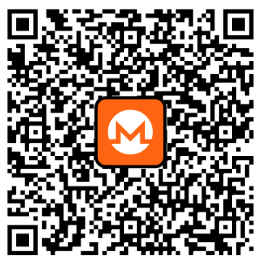
85fb2JGnS6N25c1HepdKf2Z6RCDjWTxDoWEt9PzqG4mTZvVpDNh71rn54gwGaqVpRgKw29Jh9YJ6Z6JT6xN62wKYG13wZaN
ZEC (Unified address):
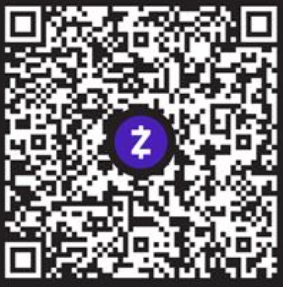
u12swaezg2g20yf34pfac8xcnsr5480y3evzav74u9mcjyvtyl757pwjh6r6nwsu4w8v268jmsgjha874af45cdyufr499vmtqzc7349c2xy8fh3e9c75rewkg574a9h6p9szjygvdmmnq6au0wungg9pjkzycnj0p9jlgyzpvav8j5axx
Prefer Monero (XMR) for highest donor privacy. Scan a QR code or copy the address below into your wallet. If you would rather use Zcash, use the Unified Address option so funds land shielded by default. Don’t forget to verify the address on this page before sending.